How to track your parcel and what to do when tracking stops
Enter the tracking or order reference from JTLGO on the tracking page and read the newest event first. Tracking can take 24–48 hours to appear after handover to the carrier. If it is still blank after that, or shows an exception, send the reference and the last visible event to support.
Where to find it on the site
- Tracking
On a phone, these are in the menu at the top right.
Have these ready
- The tracking or order reference provided by JTLGO
-
Step 1: Enter the reference and track
Type or paste the tracking or order reference that JTLGO gave you, then tap Track shipment.
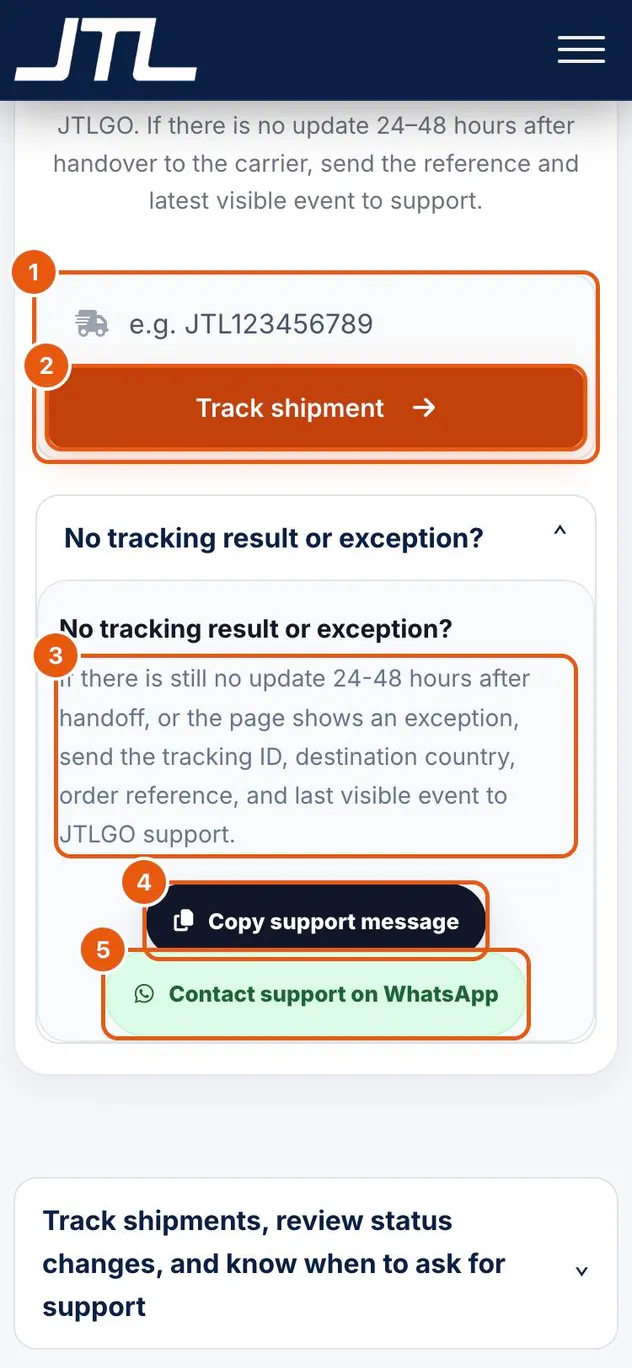
- The tracking or order reference provided by JTLGO.
- Track shipment shows the carrier, the status and the event timeline.
- No result after 24–48 hours, or an exception? Support needs the tracking ID, destination country, order reference and last visible event.
- Copy support message copies those details for you.
- Contact support on WhatsApp opens a chat with support.
-
Step 2: Read the status signal
Check the newest scan first. Each status tells you what is happening and what, if anything, to do.
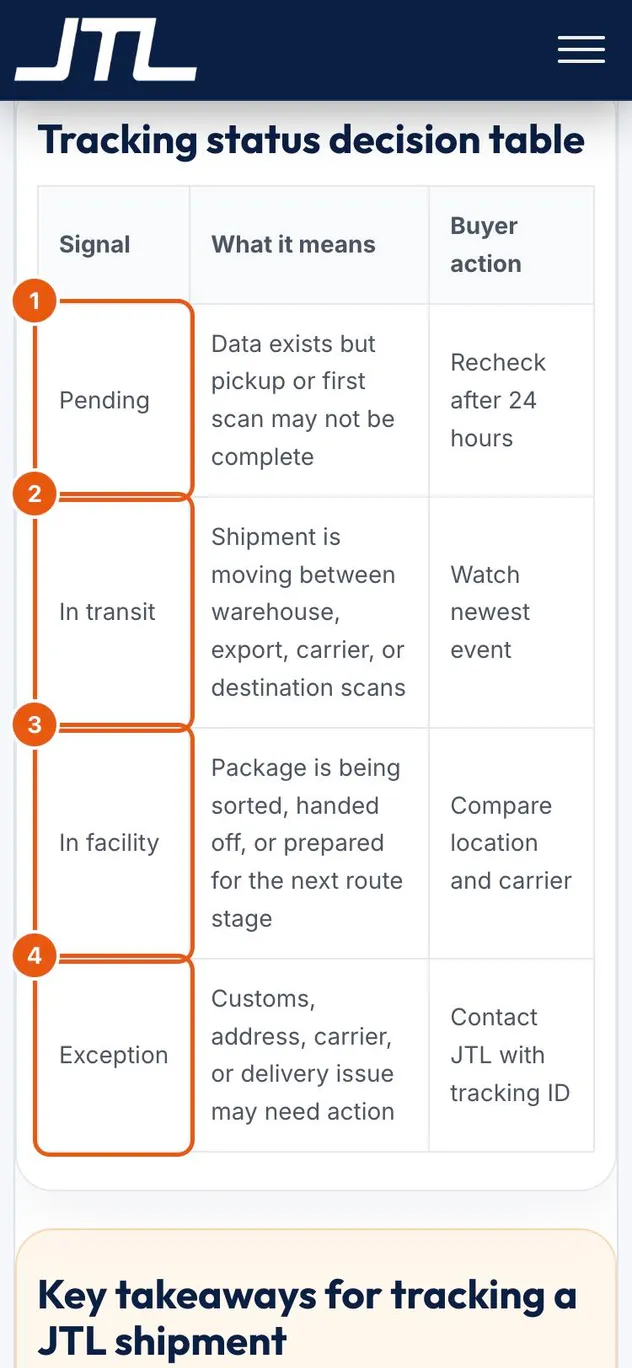
- Pending: data exists but pickup or the first scan may not be complete. Recheck after 24 hours.
- In transit: the shipment is moving between warehouse, export, carrier or destination scans. Watch the newest event.
- In facility: the package is being sorted, handed off or prepared for the next stage. Compare the location and carrier.
- Exception: a customs, address, carrier or delivery issue may need action. Contact JTLGO with the tracking ID.
What happens next
Contact support if there is no tracking data after carrier handover, if the status stays unchanged without newer events, or if there is a customs, address or delivery problem. Send one tracking ID, the carrier name, the order reference, the destination country and the time of the last visible event.
Common questions
My tracking number shows nothing. Is something wrong?
Not necessarily. Events can take 24–48 hours to appear after handover to the carrier. If it is still blank after that, contact support.
Which event should I look at?
The newest one. A timeline can show warehouse intake, export handoff, customs review, carrier transfer and final delivery in one place.
Where do I find my tracking reference?
The tracking page accepts the tracking reference or the order reference provided by JTLGO. Your order numbers are listed under Account, Orders.
Related
Was this page helpful?
Still stuck? Send us a link to this page and tell us which step you’re on.
Contact support